


 |
|
|
|
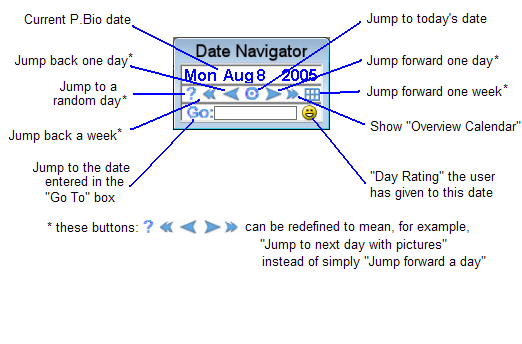
The Date Navigator shows the current P.Bio date and is also used to move from date to date. You can jump forward or back by a day or week, to a random date, or to today's date by clicking on various buttons. To jump to a specific date, enter it in the "Go To" box and hit Enter. Clicking on the Calendar button pops up the overview calendar (next page). Right-click on the Date Navigator to assign a "rating" to the current day. Right-clicking will also enable you to redefine the meaning of some Date Navigator buttons. |
|
 |
 |
 |
 |
15 |  |
 |
 |
 |
 |
|
 |